[GF] Saved Searches in Game Finder
Moderator: Community Team
Forum rules
Please read the Community Guidelines before posting.
And don't forget to search for previously suggested ideas first!
Please read the Community Guidelines before posting.
And don't forget to search for previously suggested ideas first!

Re: Personalizable ''Join A Game''
eh, maybe I read to quickly through it the first time. Upon further review, I still don't care for it. I'd be annoyed if the Game Finder was preset, and I know many users wouldn't take the time to figure out how to turn that off. I'd prefer if the site just allowed you to save searches as MapRank does. I've expressed my support for this in the recent suggestion to that effect.

Re: Personalizable ''Join A Game''
agentcom wrote:eh, maybe I read to quickly through it the first time. Upon further review, I still don't care for it. I'd be annoyed if the Game Finder was preset, and I know many users wouldn't take the time to figure out how to turn that off. I'd prefer if the site just allowed you to save searches as MapRank does. I've expressed my support for this in the recent suggestion to that effect.
Oh well, maybe I didn't state it clear enough. But I don't want to change the 'Game Finder' at all. It would be rediculous if a search engine would be preset. I want to change the 'Join A Game', so when you click it, it should work like a preset 'Game Finder'.
Re: Personalizable ''Join A Game''
I still don't think I like it. I use Join A Game if I just want to browse. I use Game Finder if I have something specific in mind. I don't think I would ever go set up my presets for Join A Game because I am constantly looking for different types of games. Only when I really don't care do I look through the Join A Game tab.
I would much rather that (1) you be able to save searches in Game Finder and/or (2) the Search results (whether from Join a Game or Game Finder) have a lot more filter/sort options. I still can't quite come around to your idea of having users or the site preset what comes up in Join a Game.
I would much rather that (1) you be able to save searches in Game Finder and/or (2) the Search results (whether from Join a Game or Game Finder) have a lot more filter/sort options. I still can't quite come around to your idea of having users or the site preset what comes up in Join a Game.
-
blakebowling
- Posts: 5093
- Joined: Wed Jan 23, 2008 12:09 pm
- Gender: Male
- Location: 127.0.0.1
Re: Personalizable ''Join A Game''
I don't like this suggestion as-is, however I would support adding filters to the join a game page. (basically simpler than the game finder as in you only see games you can join, and the filter would be instant)

Re: saved game finder search criteria
Thumbs up. Really nice one.
-
x-raider

- Posts: 248
- Joined: Tue Nov 17, 2009 5:32 am
- Location: Lost in the Complexities of the Undiscovered Universe
Re: saved game finder search criteria
Thanks 111mike for the suggestion. I'm sure this is around the suggestions somewhere. If not, I've got a comprehensive idea of what could be done with this.

Re: saved game finder search criteria
111mike wrote:saved game finder search criteria
Specifics/Details:
- Player's favorite search criteria for finding games can be saved for future use instead of having to reselect options every single time. Hit the Saved Game Preferences Button, options are filled in automatically, hit Submit. Done.
How this will benefit the site and/or other comments:
- Save time, convenient,
Don't we already have this? I know I have a default saved search when I bring up GameFinder...
...I prefer a man who will burn the flag and then wrap himself in the Constitution to a man who will burn the Constitution and then wrap himself in the flag.
-
patrickaa317

- Posts: 2269
- Joined: Sat Jan 31, 2009 5:10 pm
- Gender: Male
Re: saved game finder search criteria
If you search, then hit the single back arrow next to the page number, you'll get a URL. You could add that as a favorite, or start a notepad with it for the time being too.

taking a break from cc, will be back sometime in the future.

Saved Searches in Game Finder
Having a radio button in the game finder section to remember your preferences would be an awesome idea. That way if you search for the same types of games you don't have to re-enter them every time. Just a thought.
Last edited by chapcrap on Sat Jan 19, 2013 1:19 pm, edited 1 time in total.
Reason: Title
Reason: Title
Re: Saved Searches in Game Finder
Boniman wrote:Having a radio button in the game finder section to remember your preferences would be an awesome idea. That way if you search for the same types of games you don't have to re-enter them every time. Just a thought.
First of all, please use the form. It's there for a reason.
Second, I'm gonna merge about 20 threads into this, so get ready.
Re: Saved Searches in Game Finder
chapcrap wrote:Boniman wrote:Having a radio button in the game finder section to remember your preferences would be an awesome idea. That way if you search for the same types of games you don't have to re-enter them every time. Just a thought.
First of all, please use the form. It's there for a reason.
Second, I'm gonna merge about 20 threads into this, so get ready.
So, it was 25 in total. I will edit the OP.
Re: Saved Searches in Game Finder
Form? ....I did a search and didn't find this thread, I'm unaware of any 'form' sorry
Re: Saved Searches in Game Finder
Boniman wrote:Form? ....I did a search and didn't find this thread, I'm unaware of any 'form' sorry
Apology accepted.
As for the form. It's there when you make a new topic. It looks like this:
[Delete Me]
PLACE THE NAME OF THE SUGGESTION IN THE SUBJECT LINE!
Things to remember when posting a new suggestion are that the dice are random, and that lots of analysis has been done on them both internally and public by community members. Also, please take time to search for previous similar suggestions and, if possible, to check current and archived threads before posting something "new". Delete the xxxxxxx, and substitute your text.
Any questions, contact one of the Suggestions Moderators.
[/Delete Me]
Concise description:
- xxxxxxx
Specifics/Details:
- xxxxxxx
How this will benefit the site and/or other comments:
- xxxxxxx
Re: Saved Searches in Game Finder
Noted, thank you

Save Game Finder Searches
Any though on having an option to save game search criteria rather than having to input each time?
-
patrickaa317
- Posts: 2269
- Joined: Sat Jan 31, 2009 5:10 pm
- Gender: Male
Re: HAVE SAVED GAME SEARCH CRITERIA???
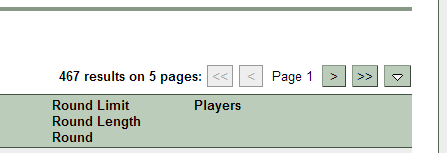
Click the < at the top of the results, which will change the information in the address bar. Save that URL as a favorite and you've solved your own issue. 
taking a break from cc, will be back sometime in the future.
Re: Saved Searches in Game Finder
RV wrote:Any though on having an option to save game search criteria rather than having to input each time?
MERGED this. Use the form next time please.
Re: Saved Searches in Game Finder
wow - quite the conversation on my first ever post!!!

Re:
sully800 wrote:You could save multiple favorite game types and have a drop down list of 3 or 5 that you could select. You could have a screen that lets you pick the options and create a name for them (which could be convenient for tournament creation)...then when you search or create a game you could select any of the saved preferred settings or do it manually like we currently do.
this is what i came into the thread to suggest.
-
RICHARDJOHN

- Posts: 249
- Joined: Thu Dec 13, 2012 11:16 am
- Gender: Male
- Location: LAREDO, TEXAS
favorite game profile for each player
is there any way to create a list of favorite games and game conditions that each player could save on their profile so that instead of filling in all the blanks on the 'game finder' each time, the player would only have to load the games and conditions they prefer once. when they are ready to look for a game, the player would only have to hit their own 'search preferred games' button and the available games that fit the criteria would pop up. let me know what you think.
Re: favorite game profile for each player
This has been suggested before, please take the time to find the thread

Re: favorite game profile for each player
http://www.conquerclub.com/forum/viewtopic.php?f=4&t=184543&p=4077890&hilit=game+finder+saved#p4077890
I would merge, but I am still learning stuff here.
However, I can tell you that MapRank allows you to save searches. That may or may not be helpful to you.
I would merge, but I am still learning stuff here.
However, I can tell you that MapRank allows you to save searches. That may or may not be helpful to you.
░▒▒▓▓▓▒▒░
Re: favorite game profile for each player
DoomYoshi wrote:http://www.conquerclub.com/forum/viewtopic.php?f=4&t=184543&p=4077890&hilit=game+finder+saved#p4077890
I would merge, but I am still learning stuff here.
However, I can tell you that MapRank allows you to save searches. That may or may not be helpful to you.
MERGED

Re: Saved Searches in Game Finder
Conquer Club Saved Searches is another add-on script which provides this.
-
Armandolas

- Posts: 1761
- Joined: Fri Jun 06, 2008 6:32 am
- Gender: Male
- Location: Lisbon
Re: Saved Searches in Game Finder
ender516 wrote:Conquer Club Saved Searches is another add-on script which provides this.
Saved searches should be implementented in CC default Game finder.