Central Command and this thread should be merged
viewtopic.php?f=6&t=209894&view=unread#unread




JamesKer1 wrote:The old guard of online Risk, ConquerClub has been around for a long time. It's built up a large audience and a lot of maps, but not much else. The gaming interface is so old it almost looks text based. The site hasn't seen a facelift since it started in 2006. It's not an easy site to navigate, but the aging community is still strong and there are strong clans and tournaments organized in the forums. The active users have been trending downward for months, but there is still some fun to be had here.
Found this review written about CC in 2011. Keep it in mind, as this is what "the outside world" perceives us as. Our negatives have been fixed through this update.
Also, know that of the others it was compared to, only one is still "thriving". CC has something good going, and we need to make some tough changes to keep improving it.


macbone wrote:JamesKer1 wrote:The old guard of online Risk, ConquerClub has been around for a long time. It's built up a large audience and a lot of maps, but not much else. The gaming interface is so old it almost looks text based. The site hasn't seen a facelift since it started in 2006. It's not an easy site to navigate, but the aging community is still strong and there are strong clans and tournaments organized in the forums. The active users have been trending downward for months, but there is still some fun to be had here.
Found this review written about CC in 2011. Keep it in mind, as this is what "the outside world" perceives us as. Our negatives have been fixed through this update.
Also, know that of the others it was compared to, only one is still "thriving". CC has something good going, and we need to make some tough changes to keep improving it.
I take "Gaming Interface" to mean the UI within the game itself, not the list of games. Back in 2011, the site was still using drop-down menus to attack, wasn't it? I was using Clickable Maps at the time, but when I took turns on my ipod, I'd need to use the drop-down menus. (I still do, actually. The mobile tappable interface is pretty slow.)
However, we're talking about the My Games page here. Information should be laid out so that the most important information is easy to see.
Here are three other game sites' pages where I play regularly:
Two are chess sites, and the other is a play-by-post RPG site. I love how plainly the information is laid out here. The information is easy to see and scans well. I know right away which games have updates or when it's my turn to play.
It would be an excellent idea to take a look at other sites and learn from their layouts.


bigWham wrote:slankz wrote:I suggest removing the extra space in the box below the last players name. This would allow more of the next level of boxes to be seen...
i can look at it, but it is trickier than it would appear because there is some buffer needed to handle all browsers and configs. i have some right now that go pretty much to the bottom, so there is no space to remove.
having said this in 90% of cases, this layout is more space efficient. it is only not more space efficient if you have a lot of games with low player count... like all 1v1.
owenshooter wrote:i want to know WHEN i have to take my turn by, not only how much time remains...

Stephan Wayne wrote:Every day is Fool's Day on CC.
JamesKer1 wrote:Solutions:
Solution 1: Codie's Solution in the above post- Allows for more games on the screen, and simple to see extra info
Solution 2: Modify the Boxes
- Larger Time Amount left
- Larger Map Name
Or a combination of both may work.
And another note- the CC9 Banner caused Central Command to be buggy, so a release was made to fix the problem. I have read this thread and the GD one, but since some posts were made before the release, it is hard to tell what still is relevant.


 all given up with the site.
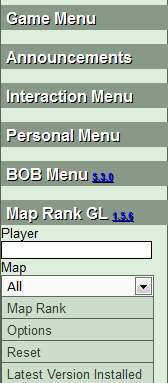
iAmCaffeine wrote:Sigh. When ignorance becomes arrogance there isn't much you can do. Eventually it will get to the day that BOB no longer works, and that is the day I will leave.
clangfield wrote:I notice that the 'games awaiting players' screen hasn't changed...is that not a problem that needs fixing too?
Presumably it means the old bit of code is still around, so it can't be too hard to switch between the two.
Stephan Wayne wrote:Every day is Fool's Day on CC.
Stephan Wayne wrote:Every day is Fool's Day on CC.